


Key takeaways
Automatic targeting, called Advantage+ audience, is the best option for B2B SaaS businesses using Meta ads.
Manual targeting options, such as detailed targeting, custom audiences and lookalike audiences, are only treated as suggestions in campaigns that optimize for leads.
That means that audience testing, unlike with LinkedIn ads, has a subordinate role. The number one performance driver and targeting factor is the ad creative.
Other key prerequisites include a complete tracking setup, a high-quality performance goal, a sufficient number of conversions (at least 50 within 7 days) and audience-specific ad creatives.
To ensure high quality targeting, the ad copy should highlight specific job titles, industries and/or use cases to cause engagement from the desired audience, which will then turn into positive signals for Meta’s ad delivery system.
With broad and automatic targeting, advertisers need to constantly monitor the quality of their audience. The best short-term indicator is the CPM. A CPM between $15 and $60+ indicates a healthy audience, while a CPM below $10 might suggest that Meta has cast its net too wide.
Hey 👋🏼 I'm Fabian, great to have you here. In my newsletter “Get Hooked! Marketing”, I share proven tactics from the trenches of B2B SaaS advertising every week. Built to make you a top 5% marketer.
Copy the exact formula I use to repeatedly build simple static ads that generate six-figure B2B SaaS revenue. Backed by more than 6,000 hours of creative testing and $5M+ in total revenue generated on Facebook and Instagram.
Table of contents
What does Meta ads targeting actually mean?
Explanation of key Meta ads targeting terms
Detailed targeting
Custom audience
Lookalike audience
Advantage+ audience
Controls and exclusions
Placements
Value rules
Why Advantage+ is the only viable targeting option for B2B SaaS companies
Case study: How to target business owners for a B2B marketing solution
Setup inside the Meta ad account
4 ad examples for targeting the right audience
How to quickly spot poor targeting while running Meta ads
What does Meta ads targeting actually mean?
📝 Note: Targeting is a core element of Meta’s ad delivery system. You provide Meta with a performance goal - like generating qualified leads - as well as with a target audience and related ad creatives.
The ad delivery algorithm will now try to maximize results by showing these ad creatives to prospects within your audience that are most likely to convert into leads.
Advertisers have several options for creating an audience. They can build segments based on profile information from Facebook and Instagram users, or they can choose to use their own company data, such as customer lists or website visitors, in order to target their preferred audience.
In addition to these manual options, Meta has deployed more and more automatic targeting features to help advertisers find their ideal customers among the network’s 3.5 billion daily active users.
Explanation of key Meta ads targeting terms
In order to target people who are actually interested in your SaaS solution on Facebook and Instagram, you first need to understand the targeting and audience features that Meta provides. The following chapters will explain the most important terms you will come across inside your ad account.
Detailed targeting
With detailed targeting, advertisers can reach people based on demographics, interests or behaviors. Meta collects the relevant data points from a user’s profile, ads and posts they interacted with or apps they installed, for example.
How to apply detailed targeting to B2B SaaS
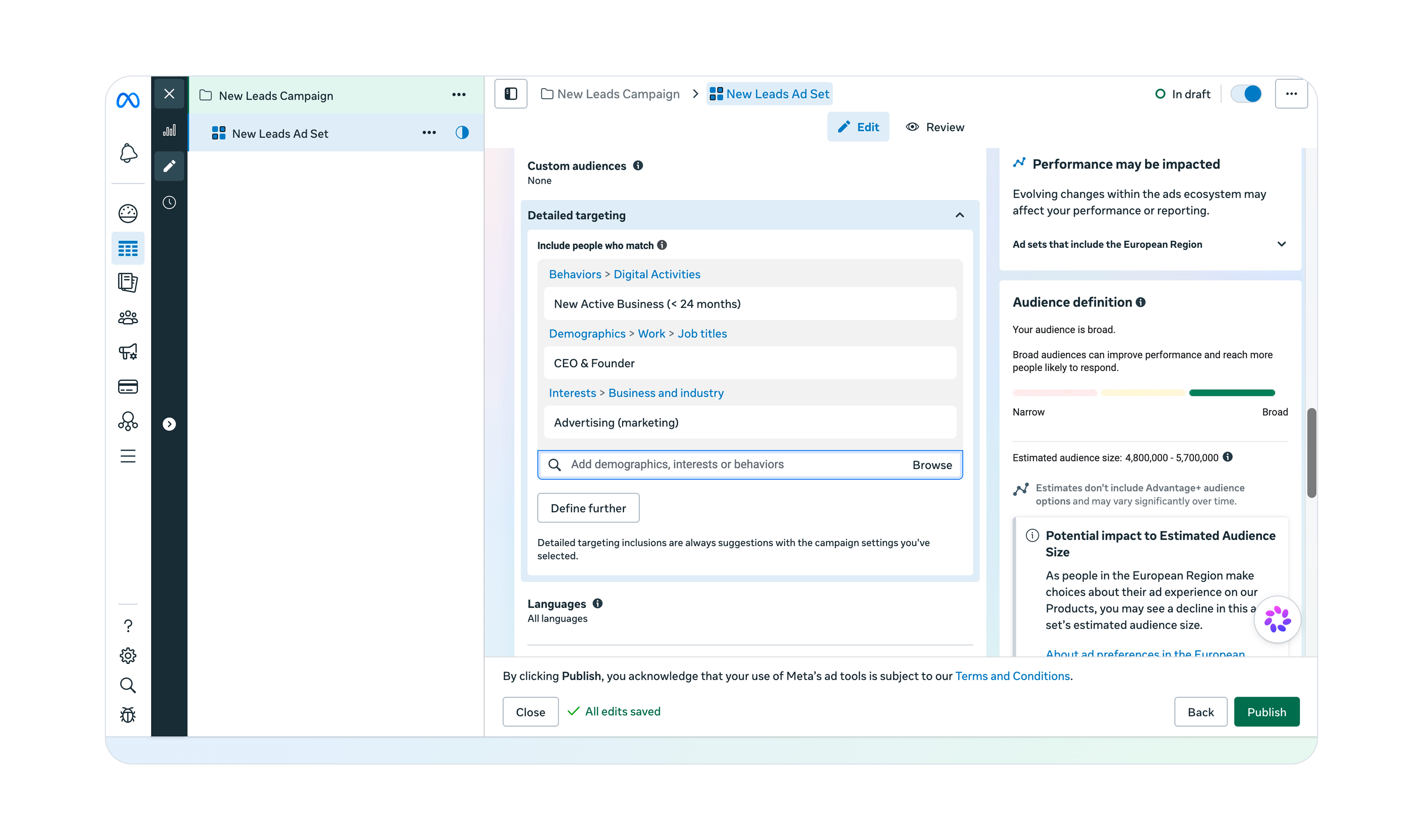
In our example, we want to target CEOs and founders who run an advertising agency that was founded within the last two years. To do so, we are going to use all three categories:
Custom audience
With custom audiences, advertisers can target audiences that have interacted with their business before. This includes people who have visited a company’s website or a company’s Instagram profile, for example.
How to apply a custom audience to B2B SaaS
The most common application of custom audiences is the retargeting of website visitors. These people have shown interest in your brand and are more likely to convert if they receive a compelling offer, like a 14-day free trial for your software.
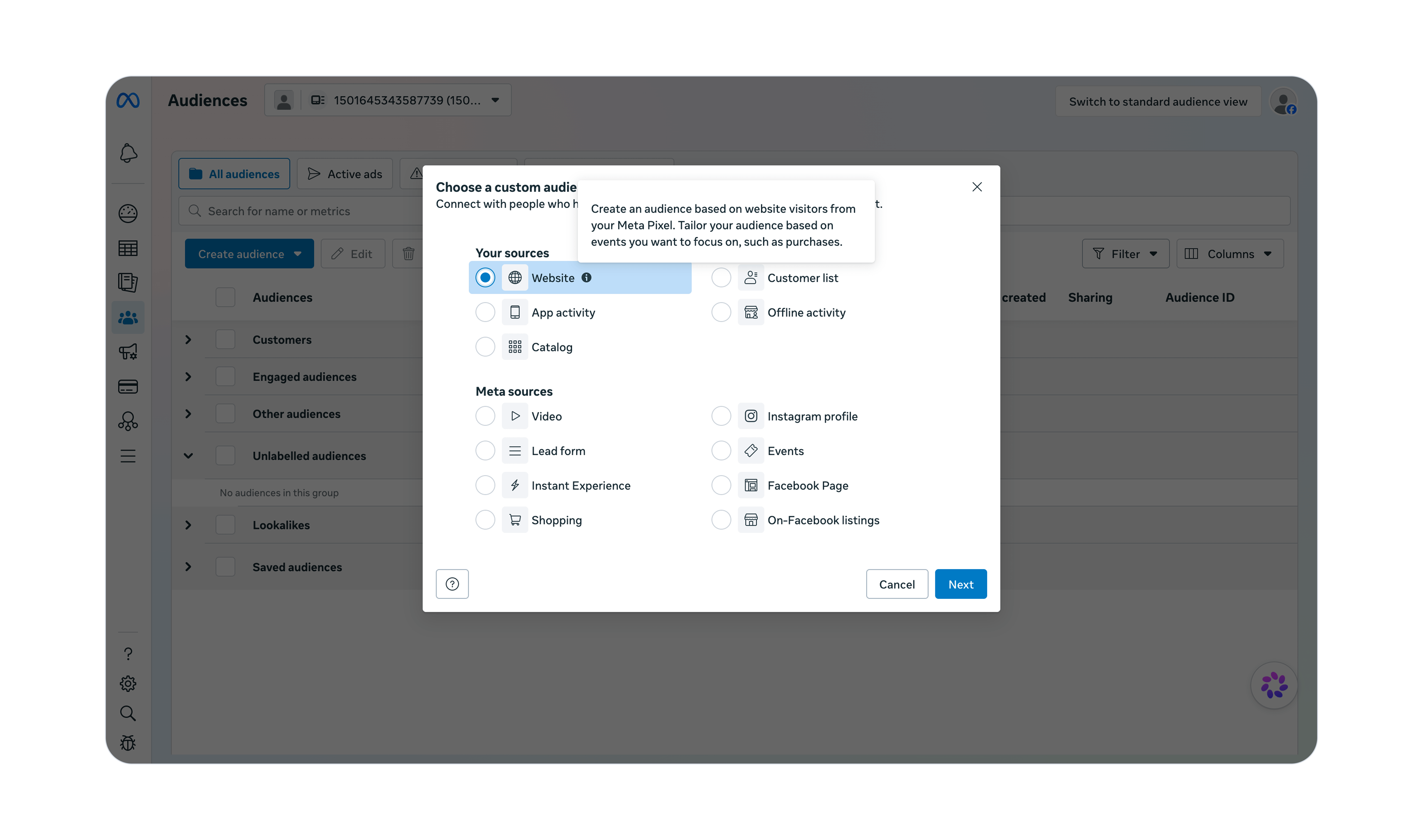
📝 Note: The retargeting of website visitors is only possible if you implement the Meta Pixel on your website.
📚 Reading Tip: Getting tracking right is the highest-leverage thing you can do before launching your first campaign. My step-by-step guide to Meta ads tracking covers the Pixel, CAPI and CRM integration.
Lookalike audience
Lookalike audiences allow advertisers to create audiences with similar traits and characteristics to existing leads, users or customers. Meta’s system uses demographic, interest-based and behavioral data from a source audience to find new users with similar qualities.
How to apply a lookalike audience to B2B SaaS
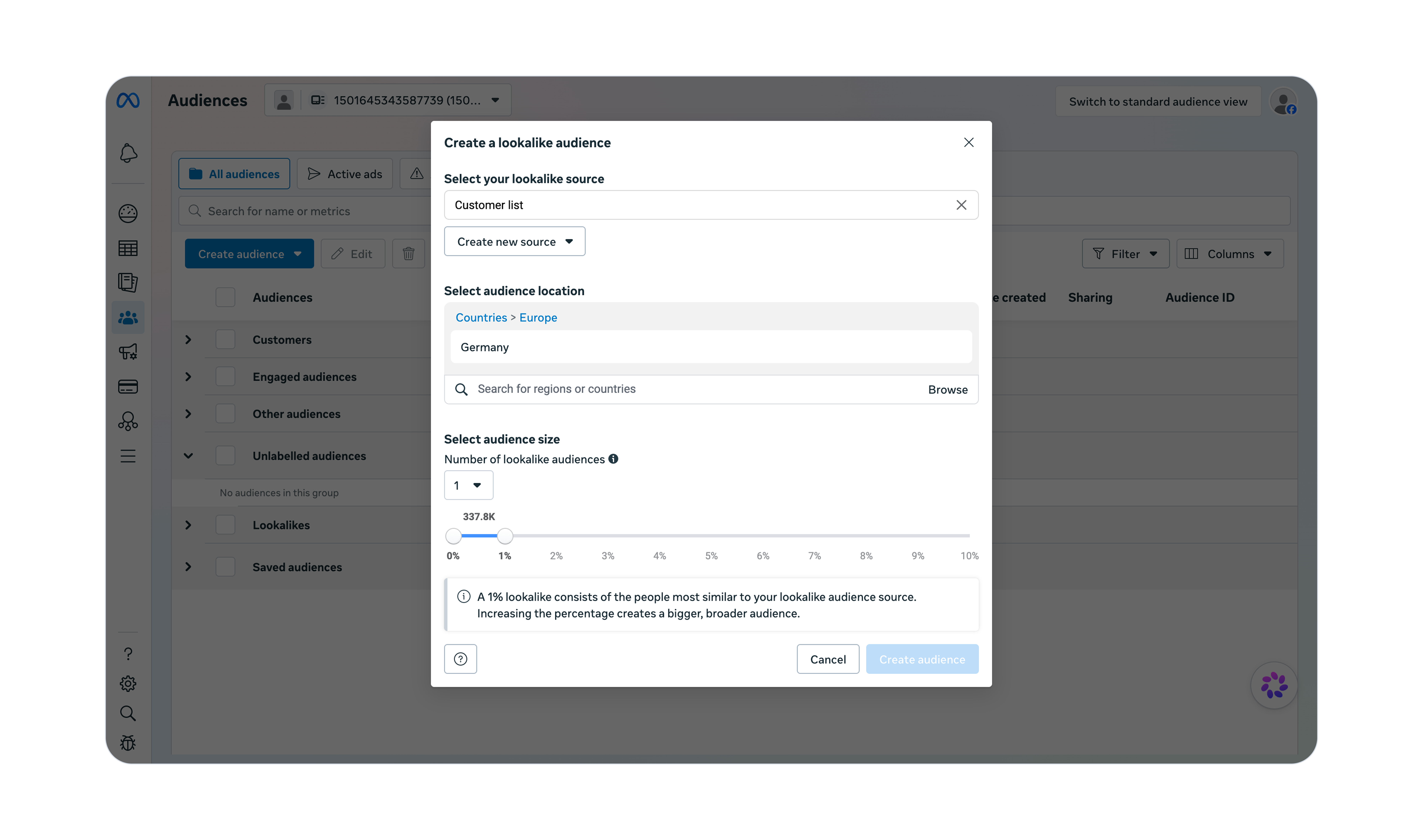
The highest quality lookalike audiences are based on customers. It is recommended to have a source audience size between 1,000 and 5,000 people.
💡 Tip: If your current customer base is smaller than the recommended threshold, you can think about other segments, such as opportunities from sales demos or qualified leads.
While selecting the audience size, you will have the chance to choose a percentage of the population of the audience’s location. Simply speaking, the lower the percentage, the more similar the lookalike audience is to your source audience.
Advantage+ audience
Advantage+ is Meta’s umbrella term for automated and AI-driven advertising features. With Advantage+ audiences, Meta will automatically create and target audiences based on past conversions, Meta Pixel data and interactions with previous ads.
This means the success of Advantage+ audiences depends heavily on clean, complete event data from your website and other relevant systems, such as your CRM.
📚 Reading Tip: Getting tracking right is the highest-leverage thing you can do before launching your first campaign. My step-by-step guide to Meta ads tracking covers the Pixel, CAPI and CRM integration.
Controls and exclusions
Although Advantage+ treats most of your manual targeting settings as suggestions and will go beyond them if it thinks it will increase performance, there are still some permanent boundaries you can set as an advertiser. These controls include:
Location
Minimum age
Custom audiences to exclude
Language
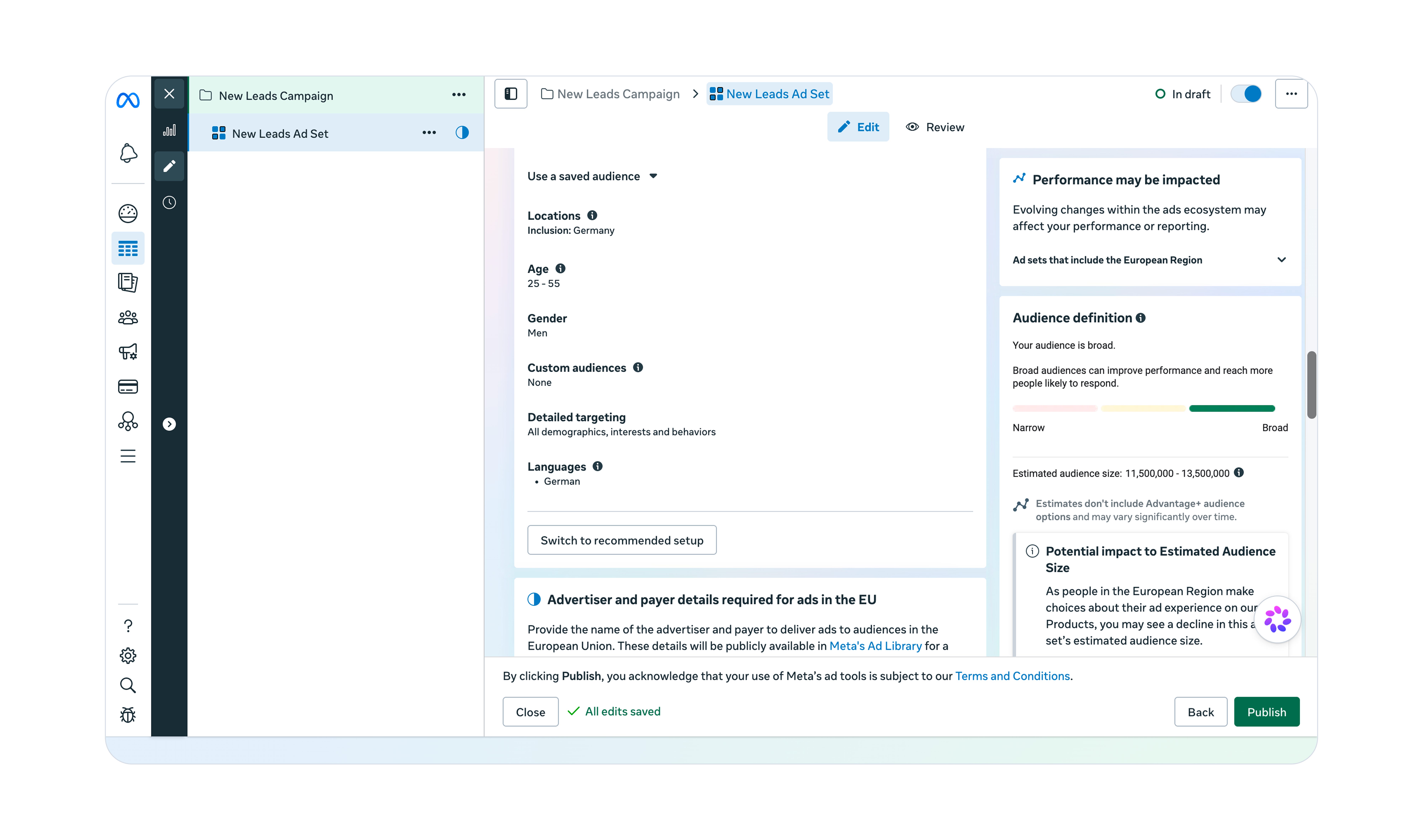
If you select “Further limit the reach of your ads” inside the audience settings of your ad group, you’ll gain more control options, such as:
Age range
Gender
Placements
Placements are the spots where your ads can appear within Meta’s ad network. This network currently includes:
Facebook
Messenger
Instagram
WhatsApp
Threads
Meta audience network
The options listed here can differ based on the objectives and performance goals you choose.
Value rules
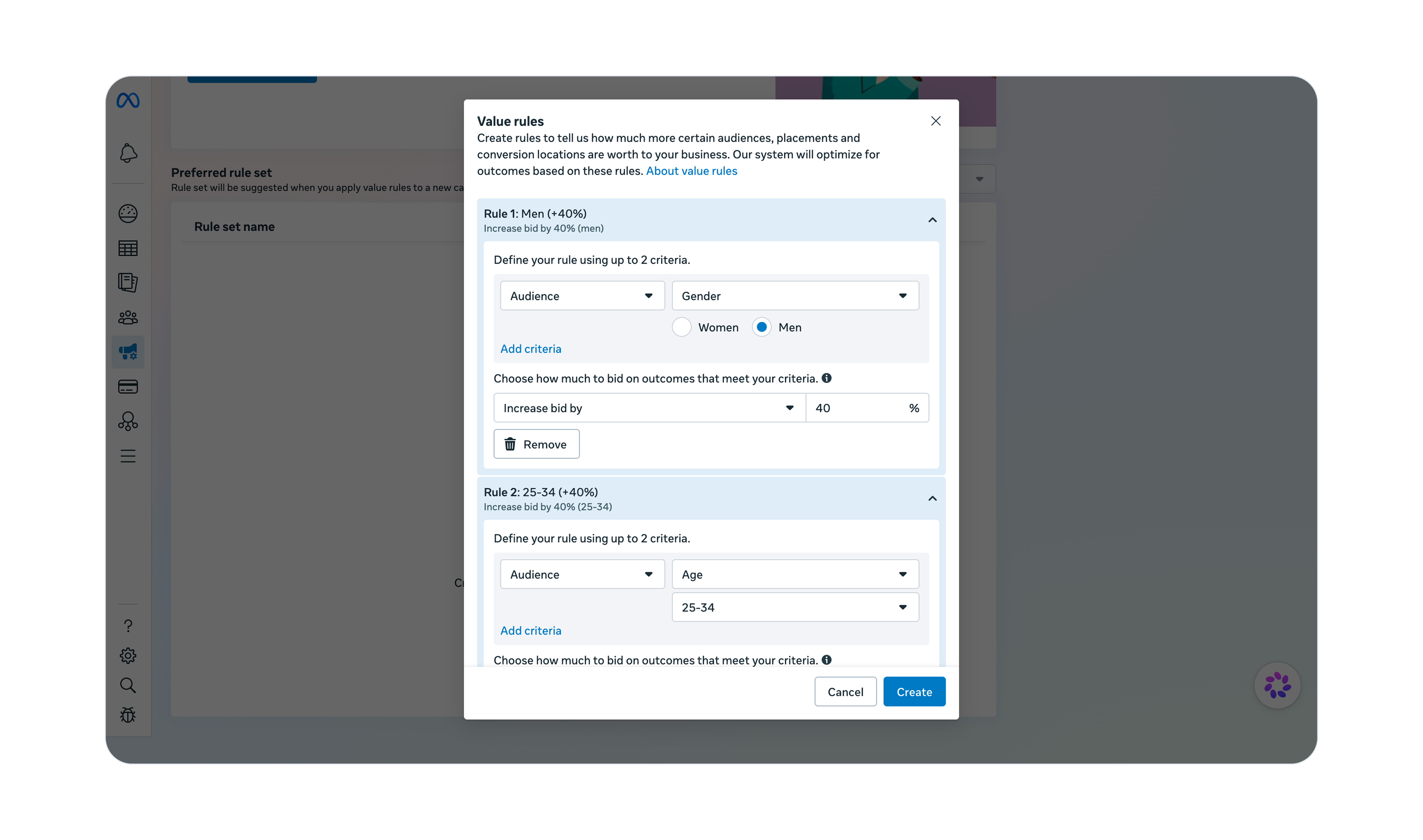
Value rules are another way for advertisers to control targeting, although in a less strict way. Instead of including or excluding entire segments based on age, gender or placement, advertisers have the option of increasing or decreasing the bid for certain audiences.
This bid adjustment will make it more or less likely for the given audience to see related ads.
How to apply value rules to B2B SaaS
Value rules are intended to provide Meta with additional information that lies outside of the Events Manager. A great example for B2B SaaS businesses is the lifetime value of customers. If a business’s data suggests that the lifetime value of men aged between 25 and 35 is significantly higher compared to any other segment, then value rules can help steer Meta’s ad delivery system towards this audience.
Why Advantage+ is the only viable targeting option for B2B SaaS companies
Out of the four main targeting categories - detailed targeting, custom audience, lookalike audience and Advantage+ audience - the latter is the only viable option for B2B SaaS businesses because Meta has made automated, AI-driven targeting the immutable standard.
📝 Note: Purely manual targeting is not possible for advertisers who want to optimize for leads, sales or app downloads. Meta will treat most inputs as suggestions and will expand its targeting if it believes that doing so will improve performance.
From my own experience of generating $5M+ in B2B SaaS revenue with Facebook and Instagram ads, the lack of manual targeting is not a disadvantage.
In order to be successful, B2B marketers need to change their mindset, which is often defined by how things work with LinkedIn ads. Here, manual audience testing takes up a big chunk of the advertiser’s efforts.
With Meta ads, it should not. The number one performance driver here is the ad creative. The copy in the ad itself will determine the target audience. Hence, creative testing becomes the number one priority, while keeping the audience broad.
Prerequisites for successful Advantage+ targeting
Shifting from an audience-first to a creative-first mindset is the initial step towards successfully using Advantage+ audiences. But there are other hard requirements in order to fully leverage automated targeting.
Complete tracking setup
Advantage+ targeting relies on the data that you provide inside the Events Manager. Map your entire customer journey, starting from the initial website visit all the way down to becoming a customer. The more accurate data points you provide, the more signals Meta has to find your ideal audience.
📚 Reading Tip: Getting tracking right is the highest-leverage thing you can do before launching your first campaign. My step-by-step guide to Meta ads tracking covers the Pixel, CAPI and CRM integration.
High-quality performance goals
If you optimize for events such as clicks or impressions, your audience targeting will most certainly be of poor quality. That is simply because anyone could see or click your ad. What you want to optimize for is a conversion event that sits between raw leads and deeper sales funnel stages, such as opportunities or closed-won deals.
In my experience, optimizing for qualified leads hits the sweet spot between quantity and quality.
📚 Reading Tip: Campaign objectives and performance goals can make or break your advertising success. My guide to Meta ads objectives and goals walks you through every option and how to pick the right one.
Sufficient amount of conversions
Meta’s algorithm improves targeting in real time. That’s why you want to make sure to send as much timely conversion data as possible back to the ad account. The recommended threshold sits at 50 conversions within 7 days.
Specific ad creatives
In addition to your own event and conversion data, engagement signals from your ads are the third pillar of Advantage+ targeting. Ads that speak the language of your customers are more relevant to your ideal audience. This increases the likelihood of engagement, which, in turn, will result in a positive targeting signal.
Case study: How to target business owners for a B2B marketing solution
We are now going to take a closer look at how to set up targeting for a B2B SaaS company end-to-end. I’m going to share my approach to the targeting setup inside the Meta ad account, as well as several examples on how to target prospects with different ad creatives.
All insights are based on my own experience from turning $1M+ in ad spend into $5M+ in B2B SaaS revenue by running ads in the United States, Mexico, Germany, Switzerland, Austria, Spain, Italy and the Netherlands.
This case study is based on a fictional company called Lightning Inc. Lightning Inc. has developed a software solution that allows businesses to create mobile-optimized landing pages in less than two hours without the help of external developers or designers, using a drag-and-drop editor.
Its main target group is CEOs, founders and executives of marketing agencies that have specialized in running lead generation and recruiting ads for their clients on Facebook and Instagram.
Since nearly all ad traffic from Meta comes from mobile devices, mobile-optimized landing pages offer significantly higher conversion rates than traditional, web-focused landing pages and builders.
On average, Lightning Inc.’s customers see a conversion rate of 15% to 20% (website visitors turning into leads).
Setup inside the Meta ad account
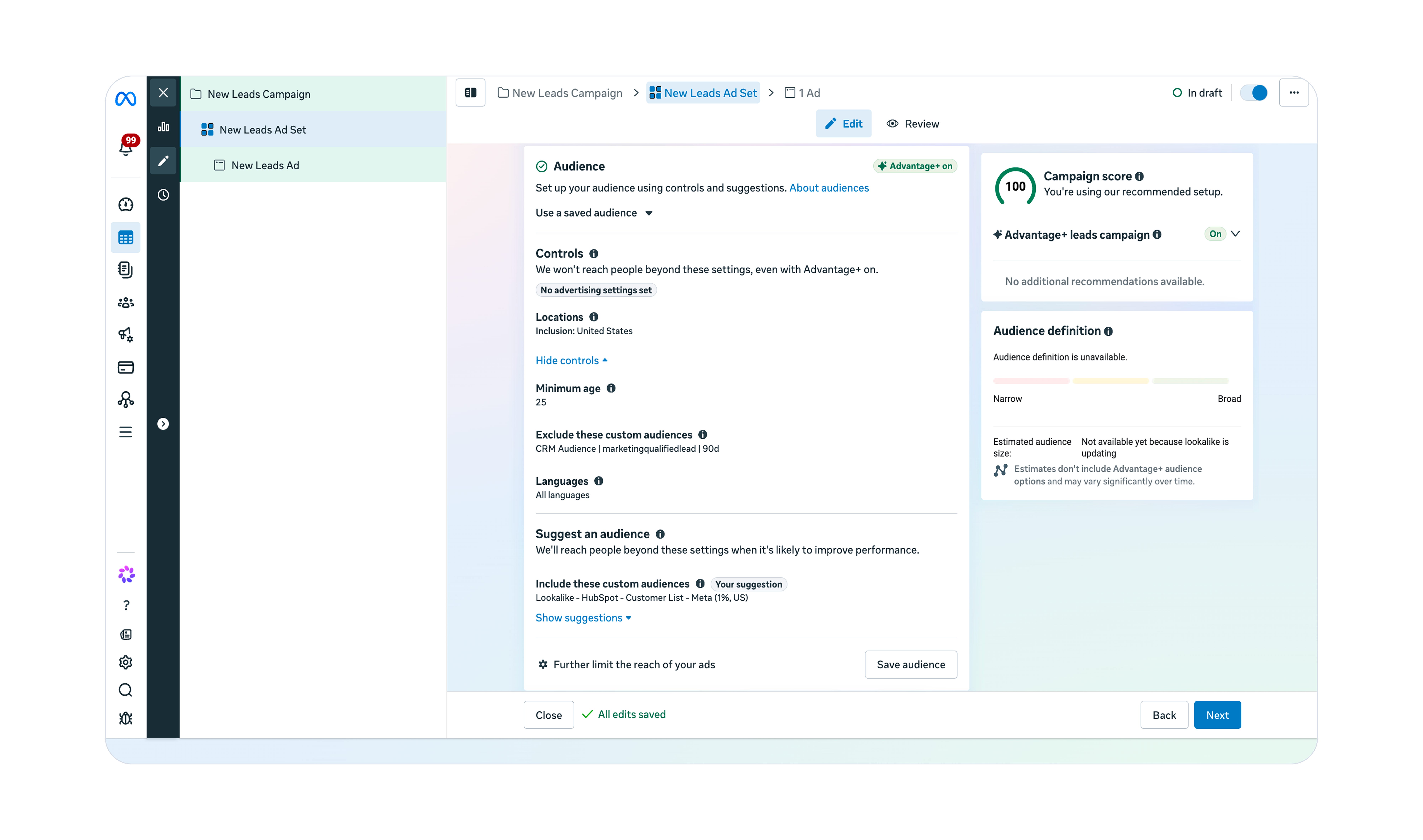
The targeting setup follows Meta’s best practices and uses a broad Advantage+ audience. Controls are also enabled, which I will explain now in a bit more detail.
Location: Very straightforward. Lightning Inc.’s current main market is the United States.
Minimum age: The default here is 18 years, but I prefer to keep the minimum age a bit higher to filter out students/prospects without a sufficient budget.
Custom audiences to exclude: The ad set is optimizing for marketing-qualified leads (MQLs). Excluding recent conversions ensures that Meta’s ad delivery system shows ads to fresh prospects and not to existing leads. This will reduce the overall frequency and limit the burnout of ad creatives. Some of my own ads have been running for more than three years now, using this setup!
Language: Since our ads are in English, we won’t need to make any changes here. If you want to target Spanish-speaking people in the United States, for example, you would need to add Spanish as a language here.
Suggestions: Custom and lookalike audiences can be included as suggestions. Think of them as seed audiences that can help the algorithm with finding your ideal audience, especially if you just started with Meta ads and haven’t had enough event data yet.
4 ad examples for targeting the right audience
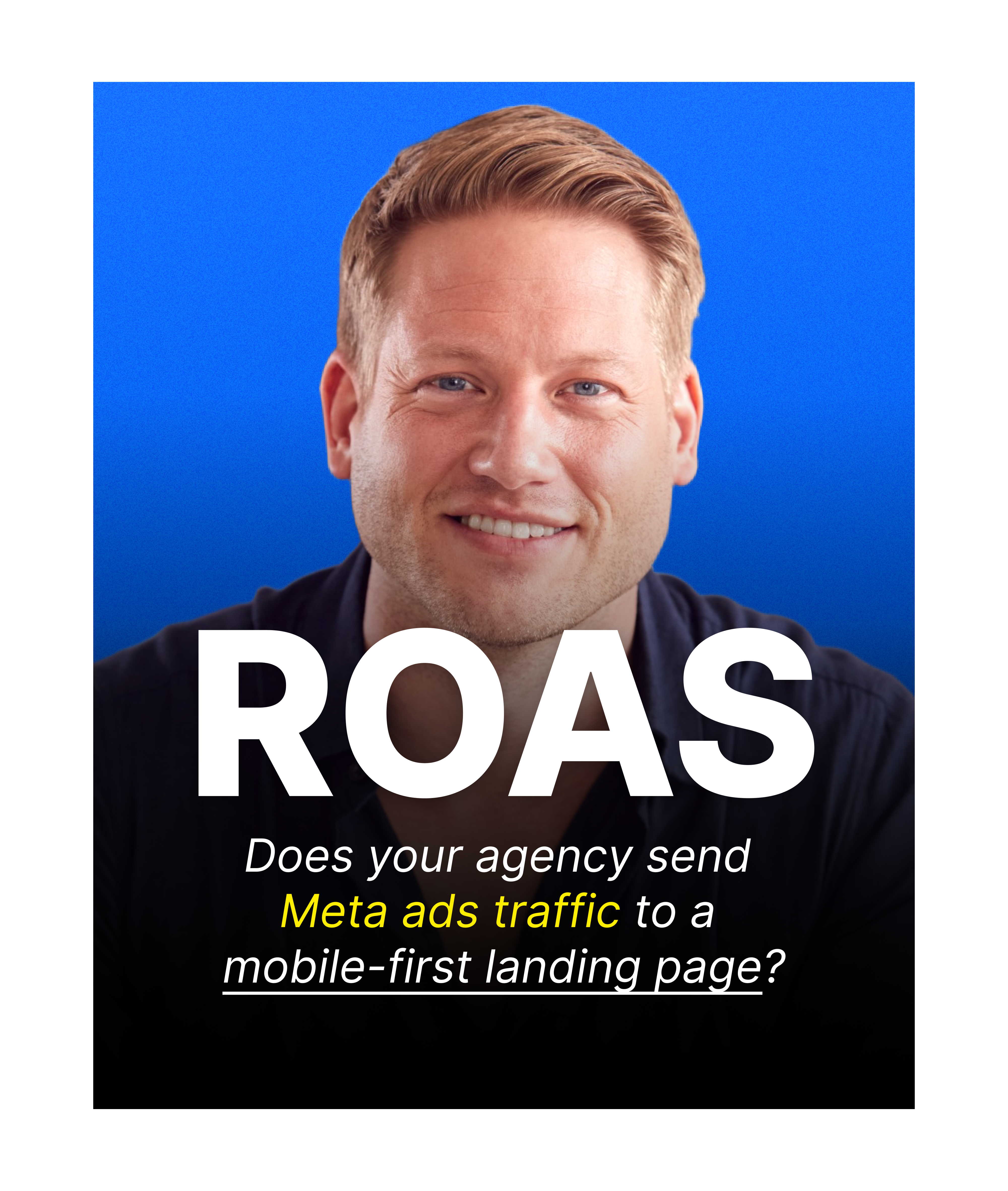
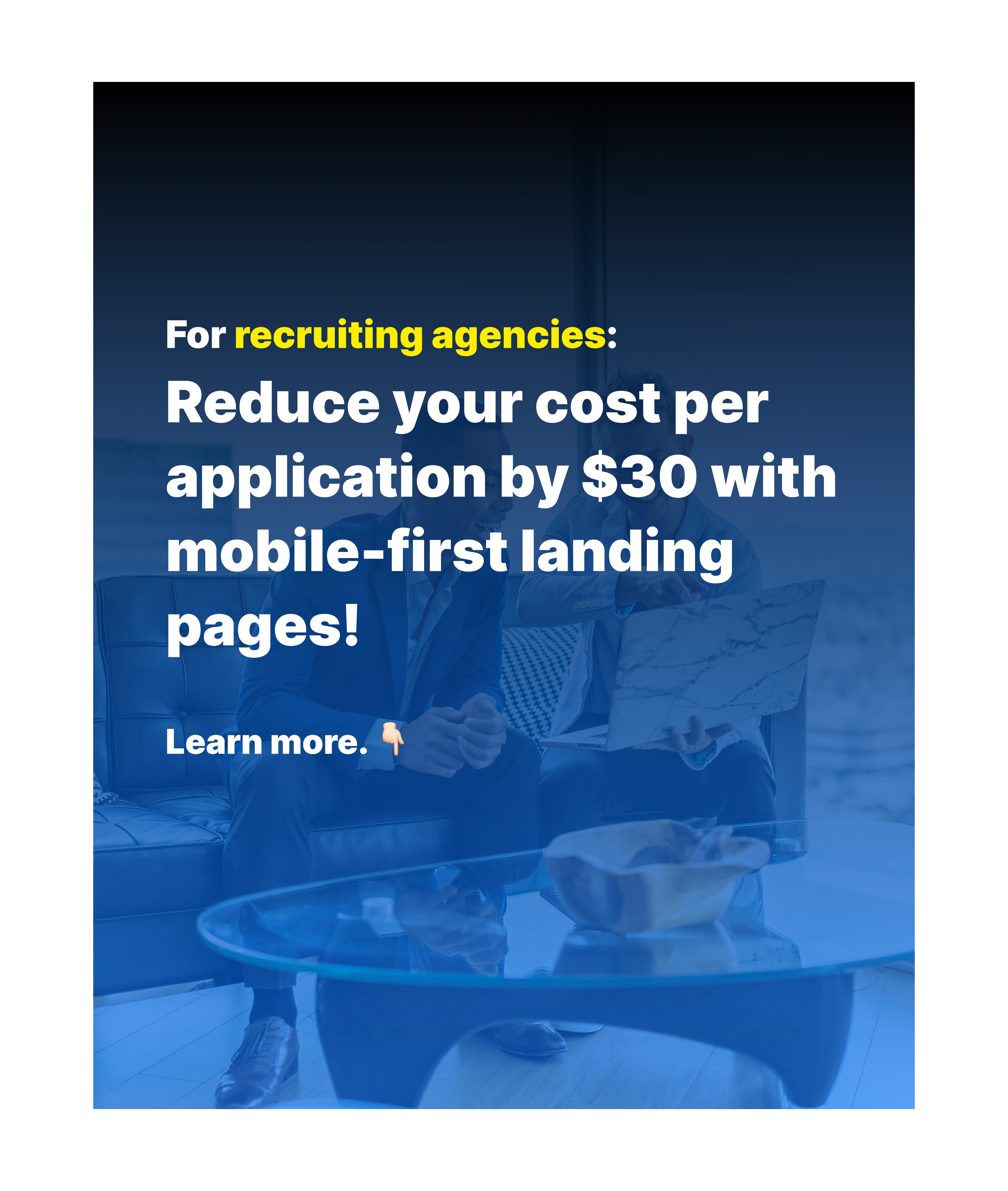
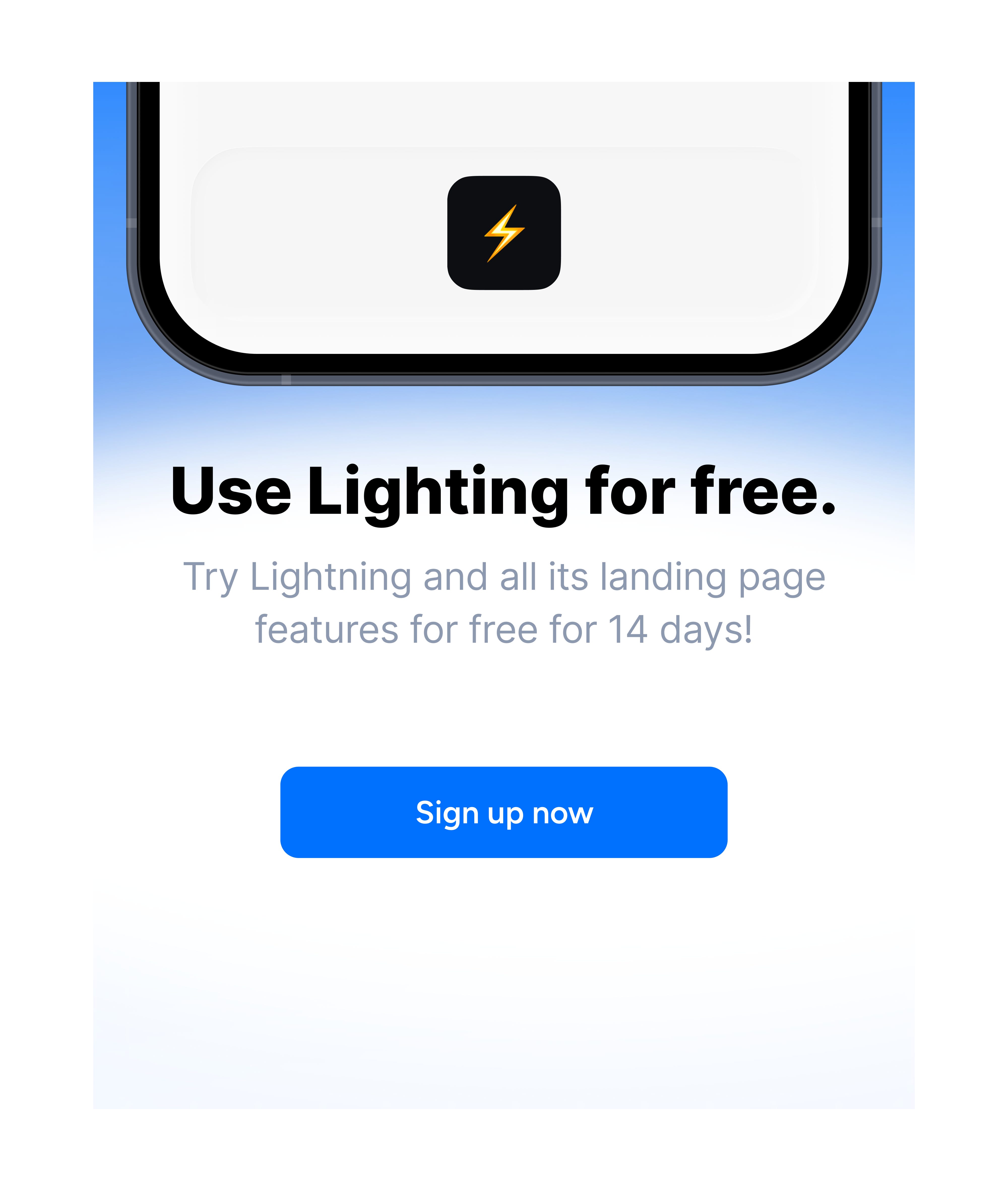
📝 Note: Your ad’s copy is a key targeting factor. If your preferred audience finds the ad relevant and engages with it, for example by clicking on it, Meta will take these signals and start distributing creatives towards similar people.
📚 Reading Tip: Your hook is the single element that determines whether your audience stops or keeps scrolling. The 7+1 commandments for writing irresistible marketing hooks are drawn from 6,000+ hours of copywriting experience and $5M+ in revenue generated.
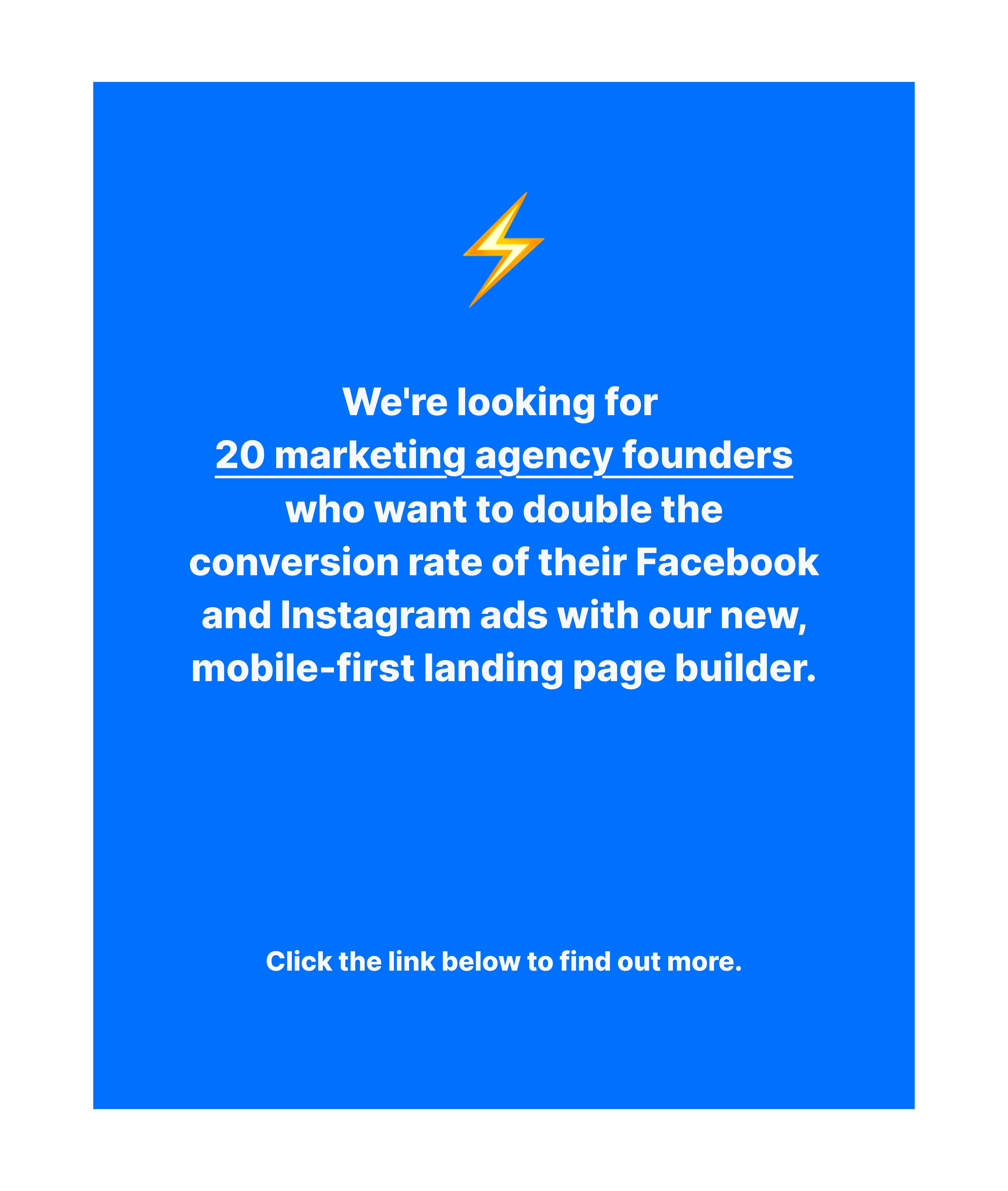
The following four static ad examples target people based on:
Job title
Use case
Vertical
Website visits
Creatives and copy are not the only levers to steer targeting - the post-click experience can actually have equal impact.
💡 Tip: Using questions on your landing page to filter out unwanted audiences before they can submit a form improves targeting quality. You could, for example, ask a simple question like: “In which industry does your company operate?”. Only prospects from desired industries are then sent to the actual lead form.
How to quickly spot poor targeting while running Meta ads
Advertisers should regularly check the quality of their audiences to avoid wasting money. A bad audience-fit will most certainly reveal itself through a low number of leads and a high cost-per-lead. But when this becomes obvious, most advertisers have already spent days running their campaign.
Looking into Cost Per Mille (CPM) some hours after starting a new campaign or creative test is usually the better option. The CPM refers to the price advertisers pay per 1,000 ad impressions and can directly reflect the quality of a target audience.
📝 Note: A healthy CPM for lead generation ads ranges from $15 to over $60, depending on the quality of the ad, as well as where campaigns are run. The United States, for example, is usually more expensive compared to countries in Europe or Latin America because more advertisers with greater spending power are present, which in turn increases auction prices.
📝 Note: A CPM below $10, and especially below $5, is usually a sign of a poor target audience for a lead generation campaign. It means that Meta is casting its net too wide, mostly reaching consumers who are not interested in a B2B solution.
The reason for a very low CPM directly after launching is usually the ad creative and its copy. The hook might be written too ambiguously to only appeal to B2B buyers.
Subscribe to Get Hooked! Marketing
By Fabian Rabenalt